PrestoCRM does not write invoices. With one click, an accepted quote becomes an invoice draft in Lexware Office or sevdesk, complete with customer, items, tax case and payment terms. You review and issue the invoice there, including as an E-Rechnung (a structured electronic invoice).
Connect once
- Create an API key in your accounting software. Lexware Office: under Extensions → Public API. sevdesk: under Settings → Users → API token.
- In PrestoCRM, go to Settings → Integrations, paste the key and click Connect. PrestoCRM checks the key right away and shows the connected account.
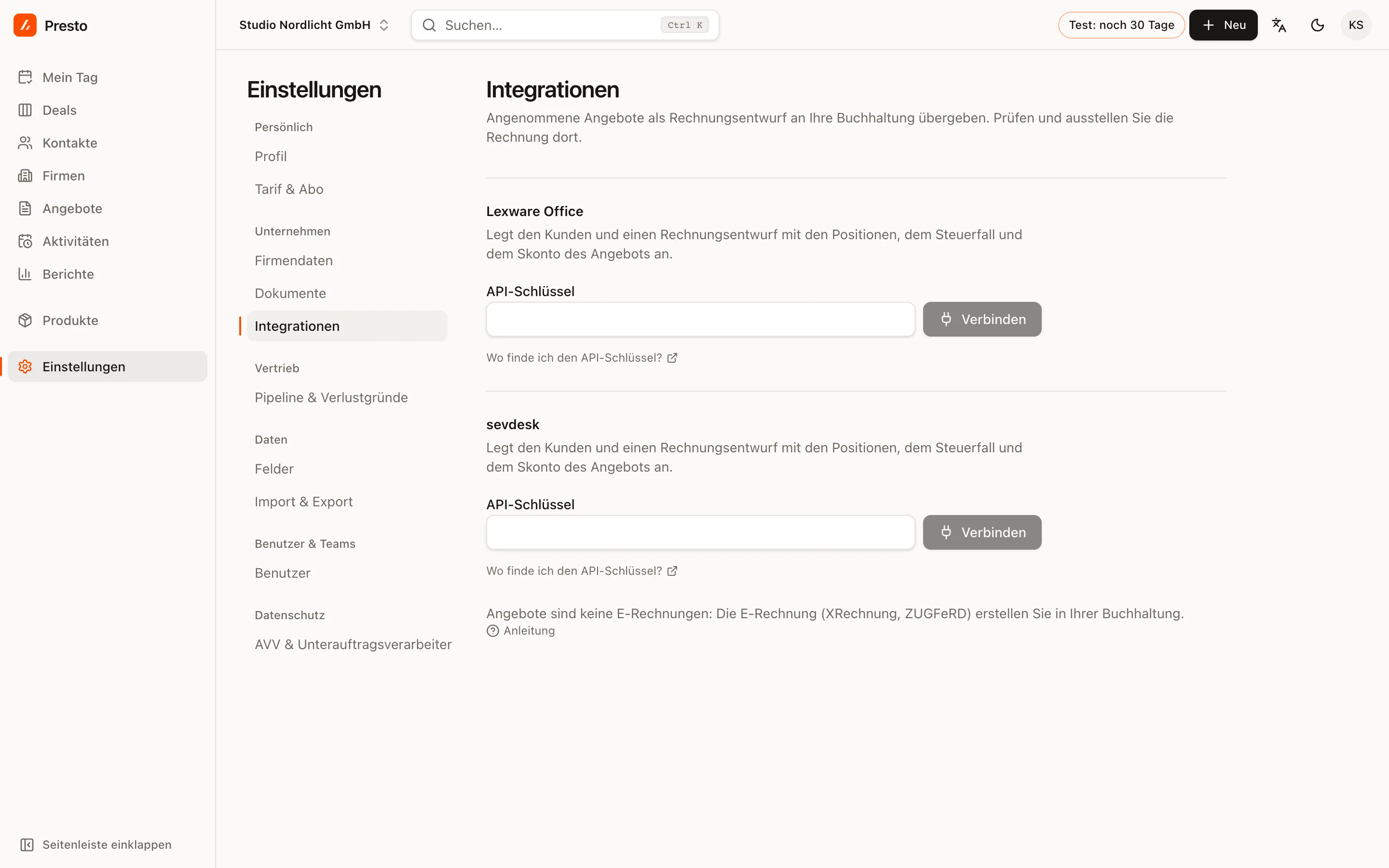
The key stays on the server: it is never sent to the browser and never shown again. Owners and admins can connect and disconnect.
Hand over a quote
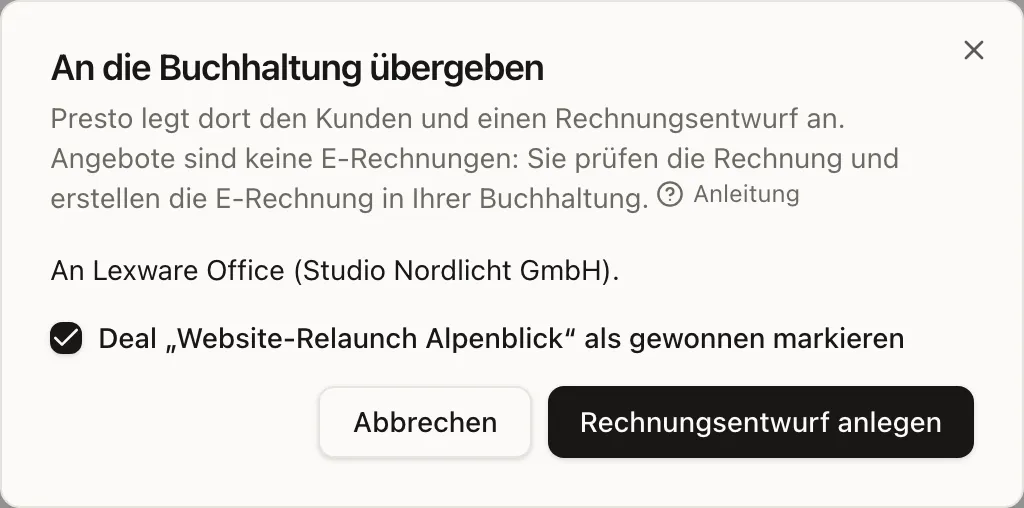
- Open an accepted quote and click Hand to accounting.
- If you have connected both tools, choose where it should go.
- If you like, mark the deal as won at the same time.
- Click Create invoice draft. The quote then shows Open in Lexware Office or Open in sevdesk.
What is transferred
- Customer: matched by company name or created new, with UID (the VAT identification number) and address.
- Items with quantity, unit, price, discount and tax rate. Optional items are left out, since they were not ordered.
- Tax case: domestic, Reverse Charge (the customer pays the VAT), intra-EU delivery, export or Kleinunternehmer (small business exempt from VAT).
- Payment terms with Skonto (a discount for early payment) and the quote number as reference.
You can hand over a quote more than once; PrestoCRM asks first, because this creates a second draft.
Quotes are not e-invoices. Germany’s mandatory E-Rechnung rules apply to invoices; your accounting software creates the e-invoice (XRechnung or ZUGFeRD) from the draft.