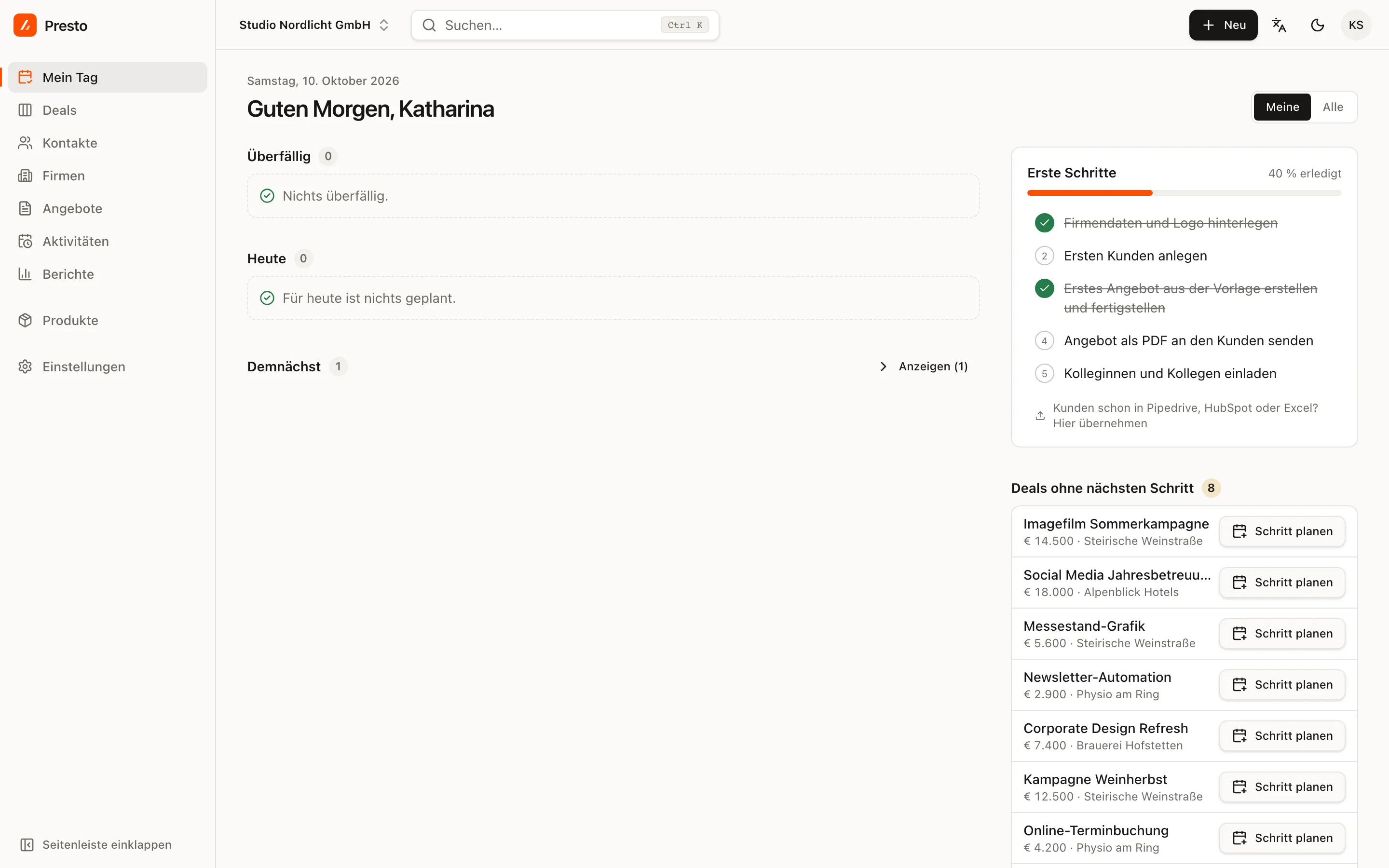
PrestoCRM takes you to your first quote in five steps. The Getting started checklist sits on My day as long as something is still open, and ticks off each step by itself.
1. Create your account and workspace
After you sign up, PrestoCRM asks for your company name, country, team size and industry (agency, IT services, consulting or other). The country sets VAT rates, currency and number range; the industry sets your pipeline and quote templates. With Start with sample data you get customers and deals from your industry to try things out; you can remove them later with one click.
2. Add your company details and logo
A quote needs your company details: name, address, UID number (your VAT identification number) and, for a GmbH, KG or OG, the Firmenbuch number (your entry in the Austrian company register). The checklist tells you what is missing and takes you to Settings → Company details. More on this in Finalising and number range.
3. Add your first customer
Use + New → New company or the shortcut N then F. If your customers are already in Excel, Pipedrive or HubSpot, use the import.
4. Your first quote from a template
Clicking this step creates a quote for your first deal, pre-filled from your industry’s template. Adjust the items and prices and click Finalise. How a quote is put together is explained in Your first quote.
5. Send the quote and invite your team
Send → Download PDF gives you the PDF for your email. PrestoCRM then asks whether the quote has gone out and, if you like, schedules a follow-up reminder. Finally, invite your colleagues, see Team and roles.
The trial lasts 30 days and includes every feature of the Business plan. What happens afterwards is explained in Trial and plans.